eaForms supports a range of action Buttons that can be placed a form.
We divide the buttons into the following categories:
| • | Standard action buttons - such as save and cancel a form |
| • | Add property to element buttons - which result in the creation of attributes to the current element |
| • | Create "associated" note or element buttons - which will result in the creation of an note/element that will be related to the current element |
| • | Script buttons - buttons that support and respond to the result from the execution of a script |
| • | Next Package - used to set the next package |
| • | Next relative package - open the next package based on defined stereotypes |
| • | Next Form - go to defined form |
The screenshot below illustrates the available button actions (see eaForms Buttons for more details)

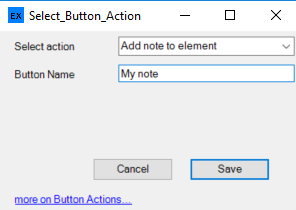
We also support the ability to specify the name of the button - and thus when adding a button the user is presented with the option to change the name as desired. By default if no name is specified then the "Data source" will be used as the Button name.
| • | Cancel - will close the form without performing any actions on the element |
| • | Save - will update the element with the contents from the form and then close the form |
| • | Update - will save the contents form the form but will NOT close the form |
| • | Refresh - will update the contents of the form - this is of use if through the use of any list view changes have been made that may affect the information displayed e.g. add an attribute |
| • | Detail - will close the eaForms Element Properties Editor and open the standard EA Element Properties Editor |
| • | Add tagged value - will present a form where the user can define the name and value for a tagged value that will be added to the current element. If a tagged value of the given name already exist then its value will be updated otherwise a tagged value will be created |
Note for Tab presentation - The Cancel and Detail buttons have no meaning, and the Save and Update button are effectively identical and DO NOT close the tab.
Add property to element buttons
There are buttons that exists for specific elements. For example as illustrated above, where there is a button being added to a class element, there are buttons to support adding either an attribute or an operation.
The following element specific buttons exists:
Class
| • | Add Attribute |
| • | Add Operation |
Use Case
| • | Add Actor |
| • | Add pre-condition |
| • | Add post-condition |
Create "associated" note or element buttons
| • | Add note to element - will present the user with a form where they can create a note that will be linked to the current element |
| • | Add linked element - will present the user with a form that allows them to specify basic element information and connector details for a linked element, which we be placed in the same package as the current element |
| • | Add owned element - will present the user with a form that allows them to specify basic element information and connector details for an element that will be owned by the current element. No link is created between the elements. |
| • | Add owned linked element - will present the user with a form that allows them to specify basic element information and connector details for an element that will be owned by and linked to the current element. |
Script buttons - Scripts can be dangerous so CHECK the operation of your script thoroughly before deploying and see eaForms Script restrictions
An experimental feature with eaForms is the inclusion of buttons which use scripts. The buttons will:
| • | Save the element and run script - will save any updates made on the form and then execute the script that is included in the button definition (see below) |
| • | Run script and conditionally save - will execute the script included in the button definition and depending on the result save any updates to the element and close the form or return to the current eaForm; the user can cancel if they wish. |
Other buttons
The following buttons have been included following requests from users, to explore their use and usefulness. Please note that there is no guarantee that they will continue to be included or supported in the future.
However, if you are using these buttons and want them to be supported in the future do let us know - as well as any changes/additions that you would consider useful.
Next Package & Save Next Package - this button to open a package that has been preset by the designer (uses GUID) and when pressed will open the appropriate eaForm for the target package.
Save current form and open Next Package - Saves the content of the current form before opening the target package.
Next relative Package & Save Next Relative Package - this buttons will look for a target package based on stereotypes defined at design time. A parent stereotype and a child stereotype. When the button is pressed a search is made up the current package tree for the 1st package whose stereotype matches the parent stereotype and this is set as the parent package. If and only if found a search is made from the parent package down the tree for the 1st package whose stereotype matches that of the child stereotype - if found this will be the target package. The current form will be closed, and there is a target package this will be opened assuming a suitable eaForm exists.
Up - this button will close the current form and open the parent package.
Note: These buttons are to demonstrate potential capability.