Buttons are provided that can be used to add notes or elements which will be associated with the current element. The following options are provided:
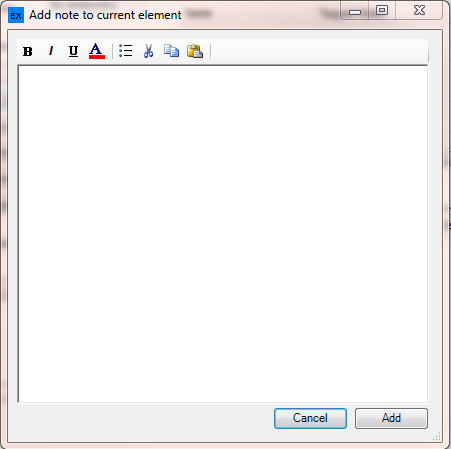
| • | Add note to element - will present the user with a form where they can create a note that will be linked to the current element. Note: a note can only be added if the element exists in the last diagram accessed |
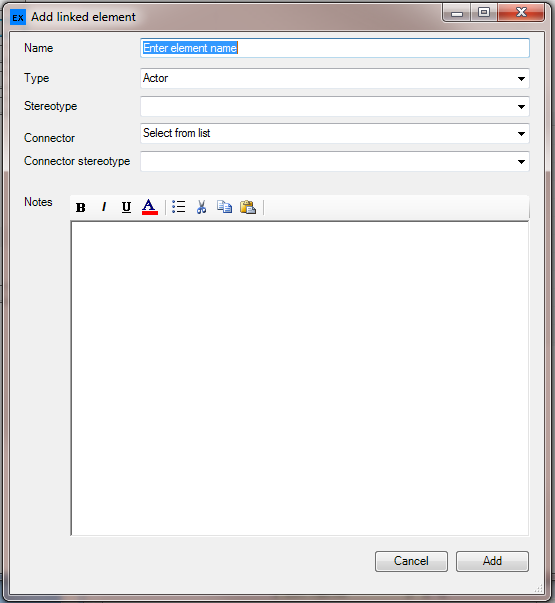
| • | Add linked element - will present the user with a form that allows them to specify basic element information and connector details for a linked element, which we be placed in the same package as the current element |
| • | Add owned element - will present the user with a form that allows them to specify basic element information and connector details for an element that will be owned by the current element. No link is created between the elements. |
| • | Add owned linked element - will present the user with a form that allows them to specify basic element information and connector details for an element that will be owned by and linked to the current element. |
Add note to element - will present the user with a form where they can create a note that will be linked to the current element
[Note: a note can only be added if the element exists in the last diagram accessed]
| • | Add linked element - will present the user with a form that allows them to specify basic element information and connector details for a linked element, which we be placed in the same package as the current element; on opening the element type matches that of the current element. |
Add owned element - will present the user with a form that allows them to specify basic element information and connector details for an element that will be owned by the current element; on opening the element type matches that of the current element. No link is created between the elements.

Add owned linked element - will present the user with a form that allows them to specify basic element information and connector details for an element that will be owned by and linked to the current element; on opening the element type matches that of the current element.
