Having created controls on your eaForm it may be that you wish to add or modify some of the detailed control attributes.
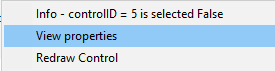
Editing these properties is achieved using the control properties - select View Properties from the control context menu.
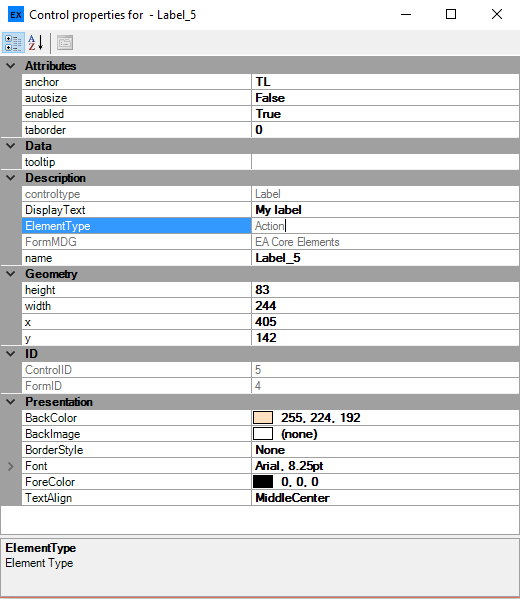
Each control has a property grid which contains its properties
With the exception of a few Read Only properties (greyed out) the designer can modify these as required.
Note: A description of the property, and where useful specific terms, are provided at the bottom of the property grid.
Properties may be:
| • | Free text |
| • | Selection from a drop down |
| • | Access a edit box - e.g. for tooltip, Display text, scripts |
| • | Pickers e.g. Colours, font |
| • | Open a sub-form to enter the required information e.g. Datagrid |
NOTE: During editing if a designer changes the selected control then the properties displayed will change to reflect those of the currently selected item.